Background: Branch Groups Maintenance
Use the Branch Groups Maintenance (TGM) program to add, change, copy, and delete branch groups. See Road Map for work flow.
This topic has these subtopics:
|
|
Branch Group
A branch group can consist of one or more branches. Typically you group branches so that they can share inventory. Groups are also used for planning and reporting purposes. A branch can be included in more than one group.
You could create a group that has only one branch because you do not want employees at that branch (for example, a warehouse) to be able to process transactions outside their branch or view inventory in other branches.
Enterprise Group
The system created the *E group for you. This group has all branches in your enterprise. If you add a branch, the system updates the *E group for you. The Executive Information Summary (EIS) program uses the *E group.
Inventory Group
You can group selected branches so that they can share inventory. For example, your inventory group might include all branches in a specific geographic area (California or Midwest). You could create inventory groups that consisted of branches that manufacture and sell the same inventory items.
A branch can be included in more than one inventory group. For example, you could include a New York inventory branch in a Tri-State inventory group and also in a New England inventory group.
Each user is assigned an inventory group in the User Maintenance (UIM) program. The user can perform transactions that affect inventory only in his inventory group. In other words, a user cannot purchase, sell, or adjust inventory in a branch outside his inventory group. If your system administrator is responsible for your entire enterprise, his inventory group should be *E.
Typically, a user can view inventory in branches in his inventory group, but not in branches in other inventory groups. However, if the Allow br grp ovrd? field in the user's record in the User Maintenance (UIM) program is selected, the user can view inventory in another inventory group.
The branch you select must be in the inventory group assigned to your login branch or entered the Inventory group field in your record in the User Maintenance (UIM) program.
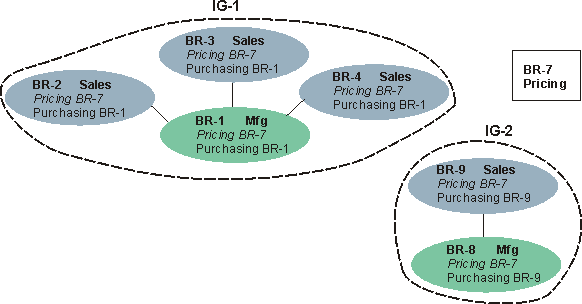
This diagram shows two inventory groups, each of which is centered around a manufacturing branch. You could also create one or more inventory groups that are subsets of IG-1.
Supply Group
Manufacturing branches have a supply group. This group consists of selected branches that are grouped for the planning system. For example, your supply group could include purchasing branches and inventory branches that stock sub-components used by the manufacturing branch. A branch should not be in more than one supply group.
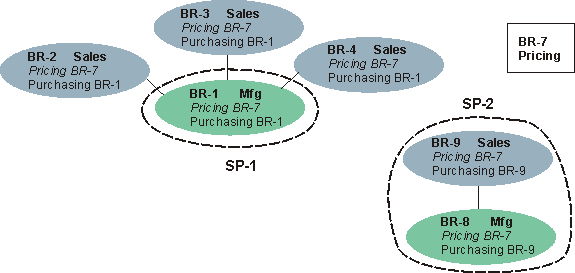
This diagram shows two supply groups. SP-1 has branch, BR-1, which manufactures and purchases, and three sales branches. SP-2 includes two branches: BR-8 manufactures and BR-9 purchases.
Demand Group
Manufacturing branches can have a demand group. This group consists of selected branches that are grouped for the planning system. For example, your demand group could include branches that sell items made by this manufacturing branch. A branch should not be in more than one demand group.
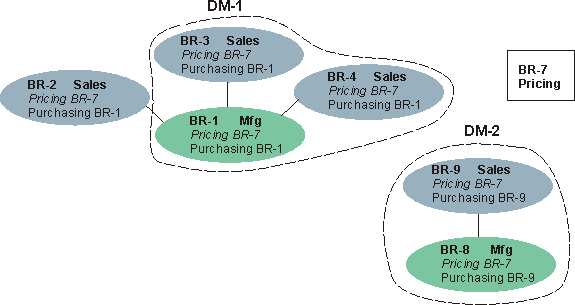
This diagram shows two demand groups. DM-1 has three branches. BR-2 is not included in a group. It may sell imported items that are not manufactured by either BR-1 or BR-8.